FM-10 - Teltonika Router Backup Export
Use this when
Use this to create backups from the Teltonika router web interface.
Before you start
Confirm a computer has a stable connection to the router - a direct ethernet connection is preferred.
Steps
- Confirm no one is actively using the kit for critical work.
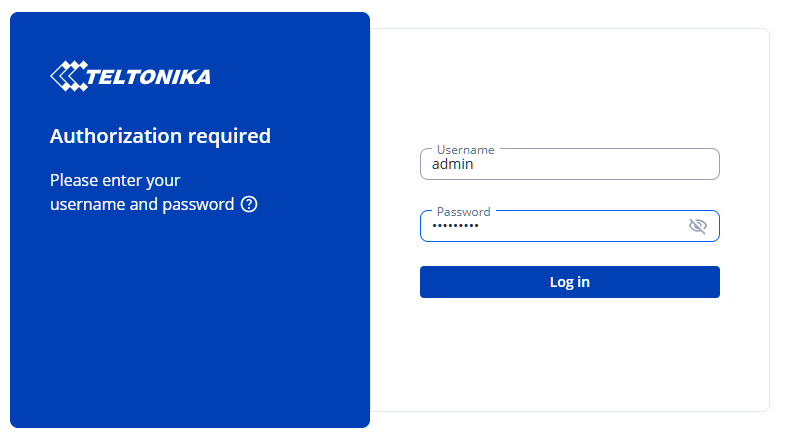
Using the computer, log into the router's management page and use the credentials provided on kit deployment .
The default address for Cogito kits is http://192.168.0.1
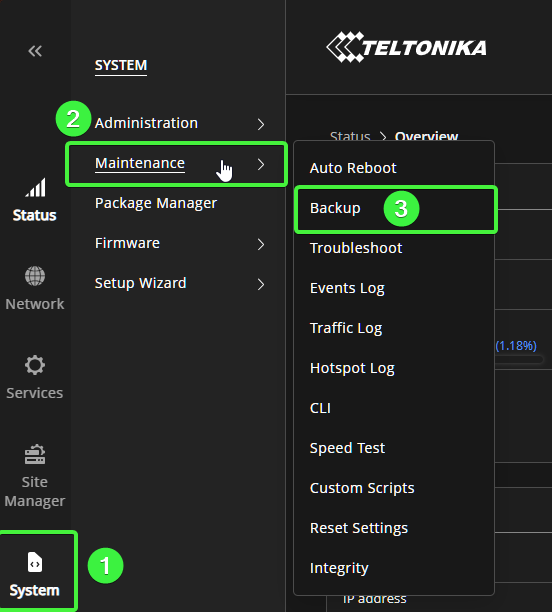
From the left navigation pane, select "System", then "Maintenance", then "Backup"
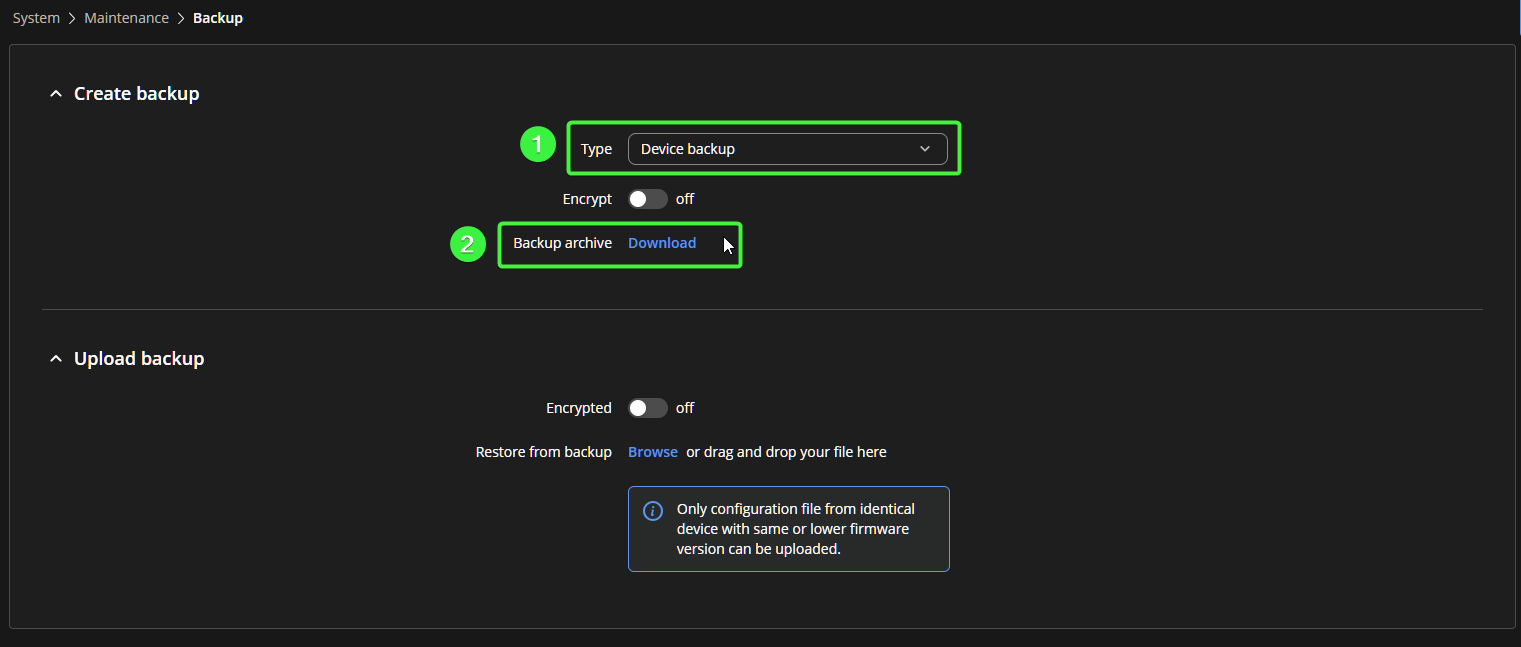
From the Backup page, select "Device backup" as the type, optionally encrypt the backup with a password,, and download the backup archive.
Note that the encryption password will need to be used if restoring from the generated backup file.
A file appears in your downloads folder, and the website should display checksum hashes of the downloaded file.
- Backup file does not download as expected
- You are unsure what the login address is
- You are unsure what the login credentials are
240.249.2084 | CogitoInnovations.com | Support@OneCogito.com